| ToC ~ Prev ~ Next |
TimeGen Professional User's Guide |
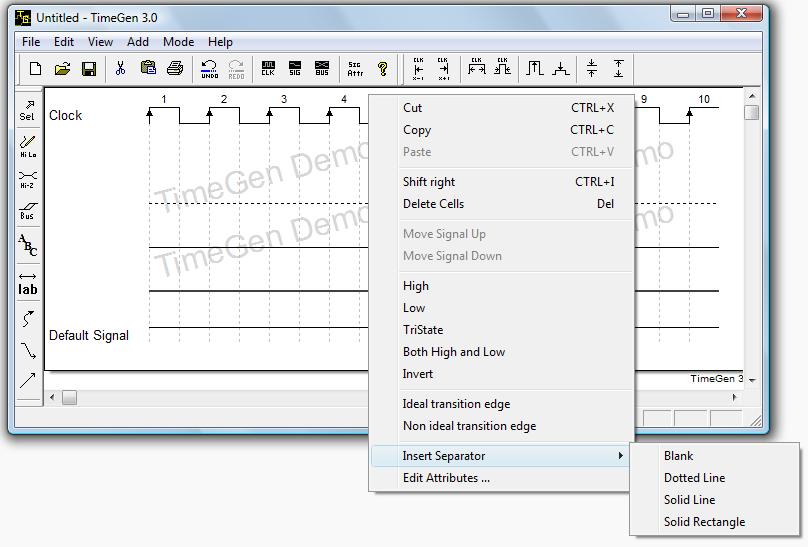
Press the right mouse button and then choose "Insert Separator". There are four types to choose from:
To move a separator, use the select tool  and drag and drop the separator by clicking on the left side (where its name would be).
You can delete a separator by double clicking on it with the select tool and then press DELETE key or press the cut icon  .
.
| ToC ~ Prev ~ Next |
TimeGen Professional User's Guide Copyright © 2003 - by XFusion Software LLC |